Wildland Fire SOPs
Symbology
| SYMBOL | DESCRIPTION |
|---|---|
 |
Refusal |
 |
Evacuating |
 |
Set / Notified |
 |
Needs assitance or potential problems |
ATAK
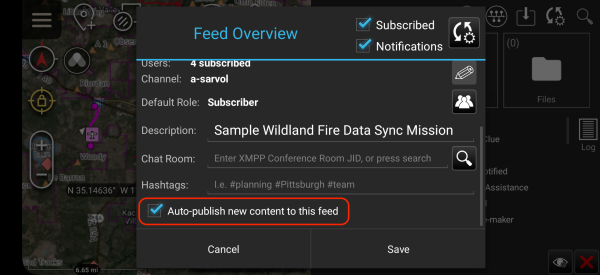
1. Turn on Auto-publish

[!tip] In DataSync Mission, Tap on the
Sync/Cog Wheel Icon
2. Scroll Down and Check Auto-publish new content to this feed
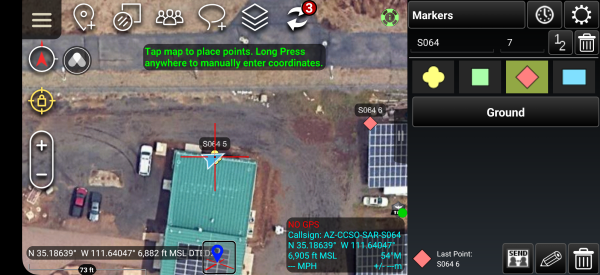
3. Set to Center on Self and Open Point Dropper Tool

- Select 1)
Lock on Selfand then tap on 2)Point Dropper Tool
4. Ensure Marker Iconset

5. Drop Appropriate Marker
 note:
note:
- Tap on your location as you move using the appropriate symbols as defined in Section 1
iTAK
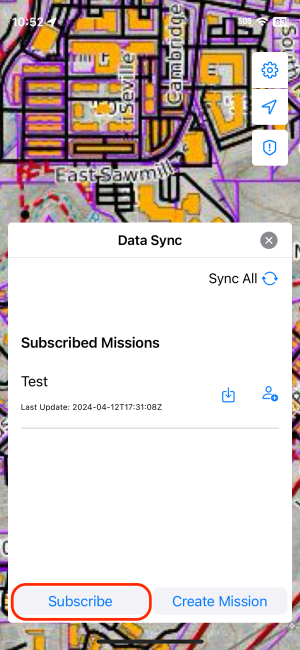
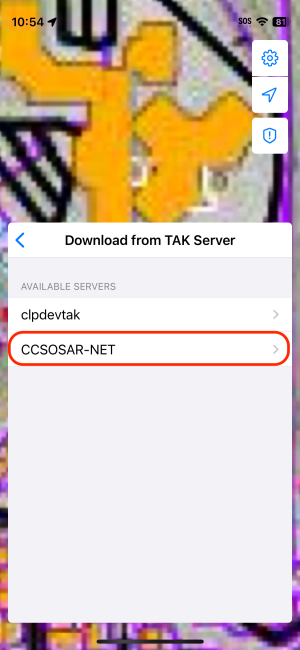
1. Subscribe to DataSync Mission
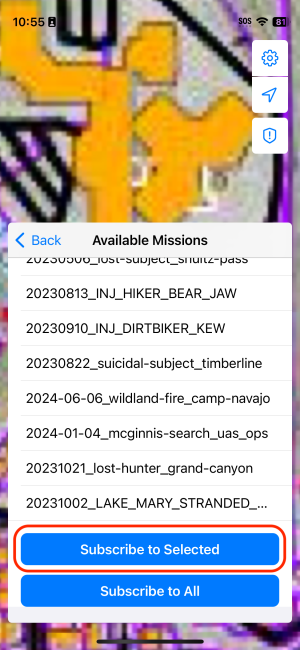
2. Set to Center on Self and Open Point Dropper Tool


NOTE:
- Tap on Compass / Arrow icon until it is solid blue to ensure the screen is locked onto your position.
- Select
Point DropperTool - Set up icon prefixes and sequence format:
- Enter Badge Number for
Marker Name - Ensure Sequencing is numerical
- Enter Badge Number for
3. Set up icon prefixes and sequence format:

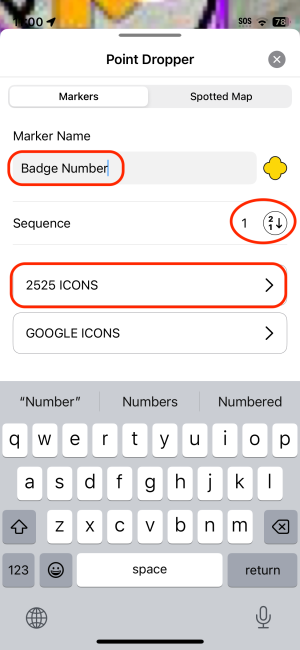
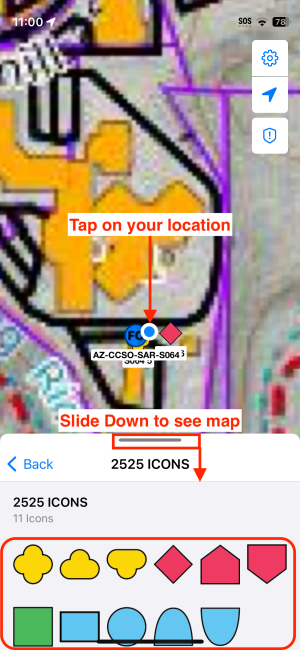
If letters or blank square, tap on it until numbers appear as shown next
You can tap / hold the horizontal line as shown above and slide it down to show more of the map and less of the tool tray. note:
- Enter Badge Number for
Marker Name - Ensure Sequencing is numerical
- Ensure
2525 Iconsset
Sharing Markers to DataSync
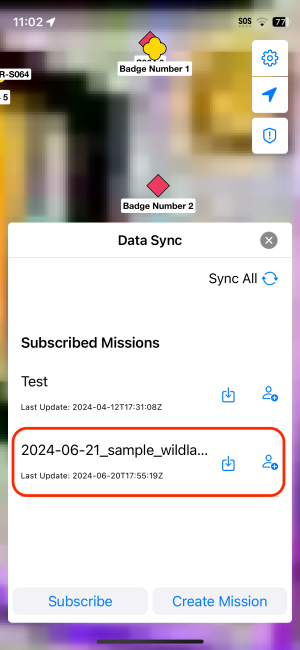
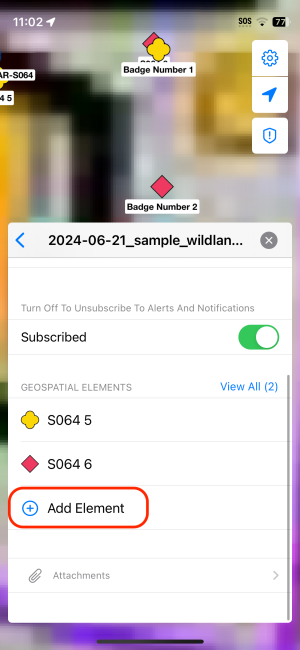
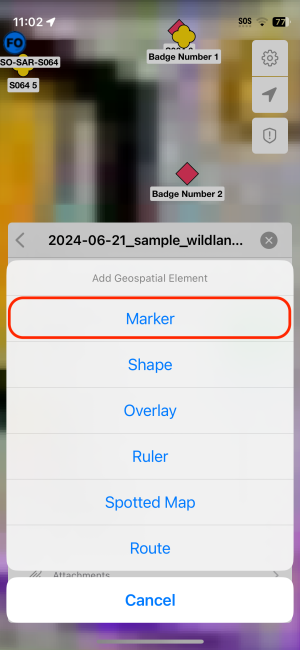
note:
- Tap on
DataSyncTool and then tap your wildland fire mission - Tap on
Add Element - Select
Marker - Select / "check" markers (as indicated by YOUR badge number) and tap
Add Elementsbutton
Sharing Markers to DataSync
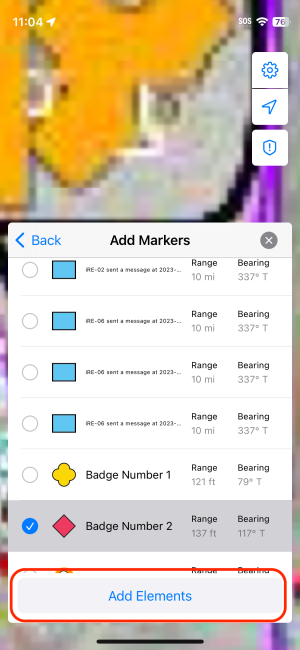
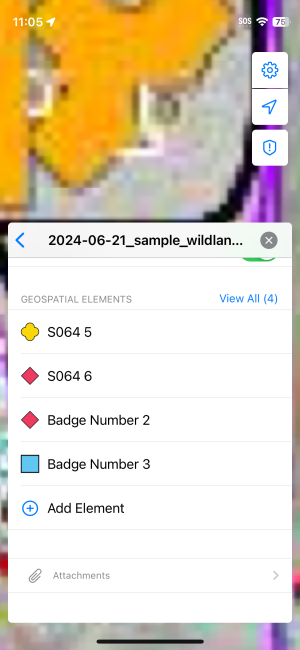
You should see your markers added to the DataSync Mission
Sending Markers to ATAK user for "Auto-Publish" User
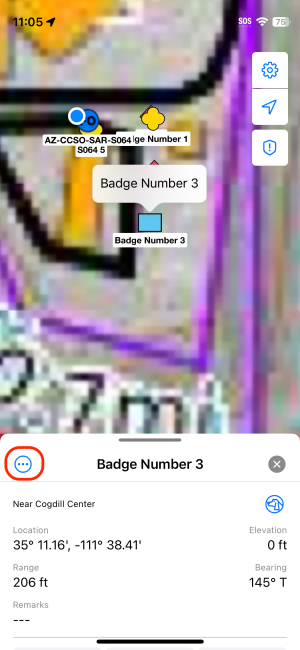
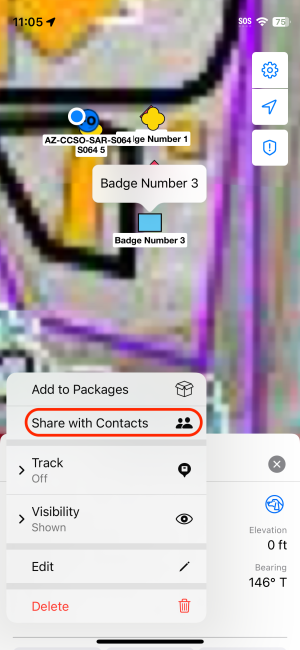
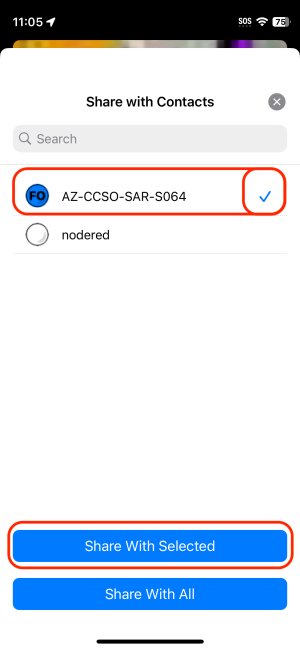
NOTE:
- Tap on Desired marker and then the circled-ellipses icon
- Tap on
Share with Contacts - Select a SAR Coordinator or an ATAK user (ATAK users have no
iin their callsign)